



This guide explains how to configure Screaming Frog to crawl your Shopify store and extract useful data. At Kubix, we crawl a lot of Shopify websites. Every day, in fact. Over the years, we’ve refined how to configure Screaming Frog to crawl Shopify websites and collect the most useful data.
If you’ve ever started a crawl in Screaming Frog only to run into 429 Too Many Requests errors, incomplete data, or gaps in what has actually been indexed, you will know the issue is rarely the tool itself. More often, it is the setup.
Shopify stores need a slightly different approach when crawling. Due to Shopify’s security, your requests can be rate limited, resulting in incomplete crawls.
What Is Screaming Frog
Screaming Frog is an SEO crawling tool that scans websites and extracts data from their pages.
It can surface status codes, metadata, canonicals, internal links, redirect chains, structured data, headings, word counts, and much more. It can also connect with platforms such as Google Search Console and GA4 to enrich crawl data with performance insight.
For Shopify stores, that makes it one of the most useful tools available for technical SEO, content analysis, and site audits. The value comes from how you configure it. A default crawl can give you a basic view of the site. But a well-configured crawl can show you far more.
Before you start: How to setup screaming Frog to crawl Shopify
Before getting into the Shopify-specific parts of the crawl, it is worth getting the foundations right.
Use database storage mode
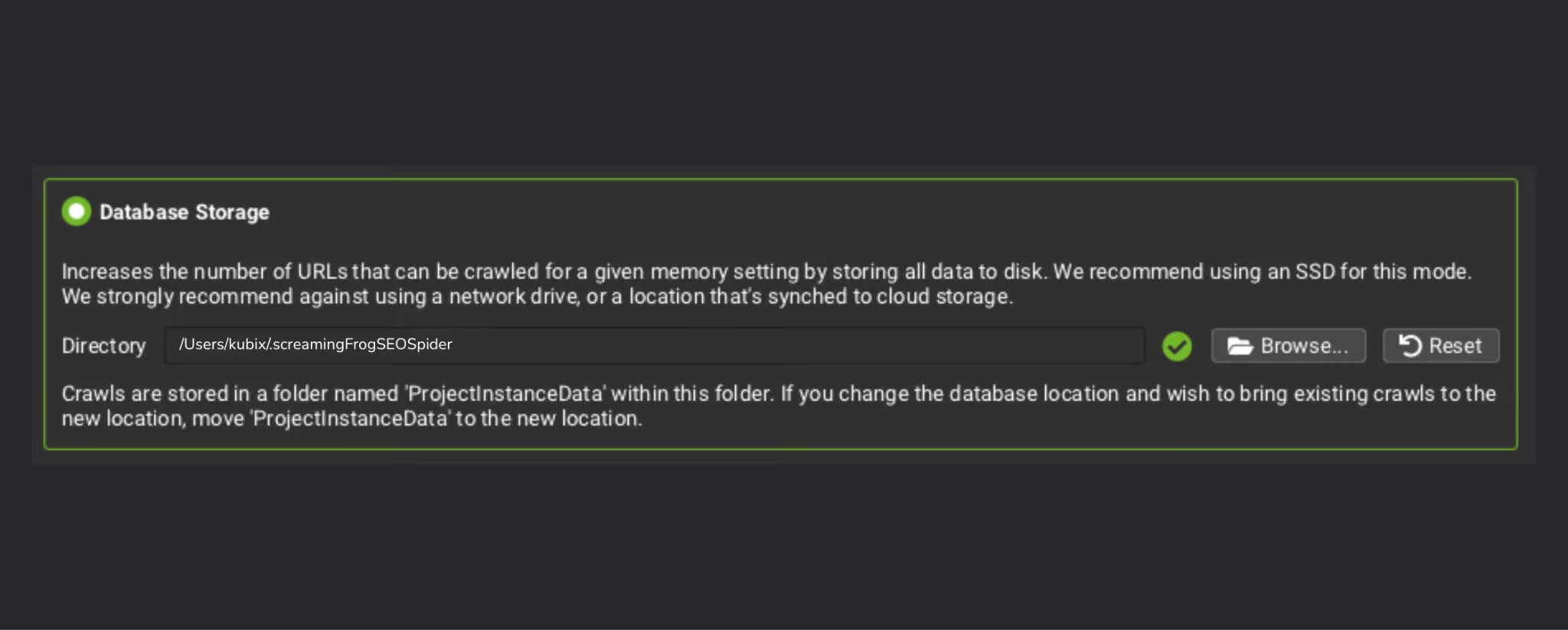
If you are crawling Shopify stores regularly, database storage mode is one of the most useful settings to enable. Database storage mode saves crawl data to your hard-drive, rather than your RAM, which stops your computer from grinding to a halt during large crawls.
It helps preserve your crawls, reduces the strain on your machine, and gives you a much better base for comparing crawls over time. That is especially helpful when you want to track how a site changes after technical fixes, content updates, or structural changes.
For one-off audits, it is useful. For ongoing SEO work, it becomes even more valuable.
Shopify Configuration
A Shopify crawl needs a little more thought than a standard website crawl. The goal is not just to gather URLs. It is to gather reliable data without creating unnecessary noise or triggering issues along the way.
Set Up the Shopify Web Bot Auth Signature
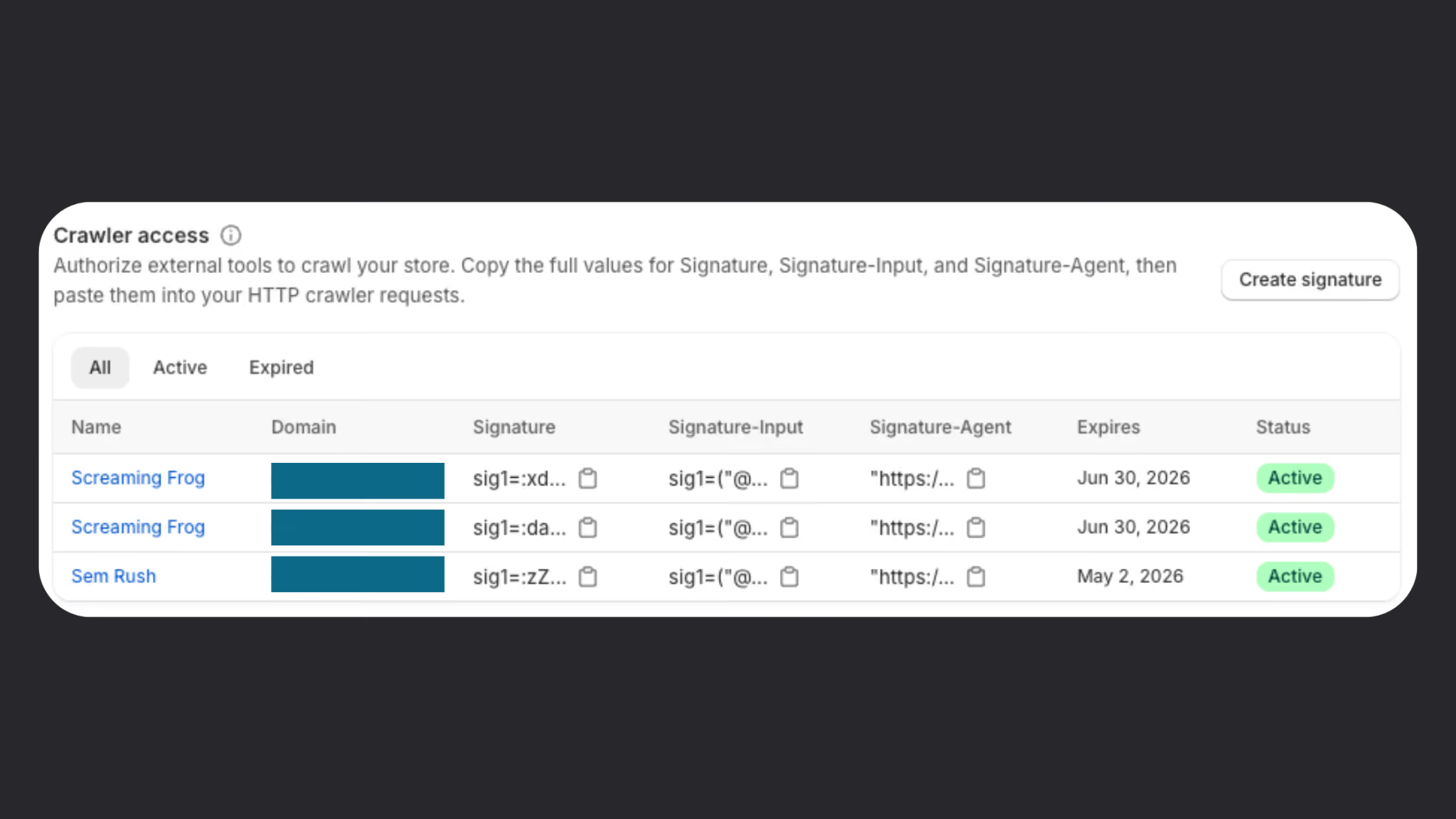
One of the most important updates for Shopify crawling is the introduction of Shopify signatures. Shopify introduced Web Bot Auth and HTTP message signatures in August 2025, giving merchants a way to authorise their own crawlers and tools to access their public store without being blocked. Shopify signatures are created in admin, apply to a specific connected domain, and can be set to expire for up to three months.
Shopify uses URL rate limiting to protect stores from suspicious or excessive automated traffic. If too many URLs are requested too quickly, the platform can temporarily block the IP address making those requests. This is why you often get ‘429 Too many requests’ errors when trying to crawl Shopify websites. That is a sensible protection, but it can be a problem when you are trying to run a full technical crawl of your own store.
That is where Shopify signatures come in.
By setting up a crawl signature, Shopify can recognise that the requests are coming from an authorised source rather than an unknown bot. In simple terms, it allows you to identify yourself as the store owner or authorised crawler, so your requests are less likely to be treated as spam.
If you are planning to crawl a Shopify store thoroughly, this should be one of the first things you configure. It gives the crawl a much better chance of running cleanly from start to finish.
To set up a new signature, go to Online Store > Preferences. At the bottom of the page, you’ll see Crawler Access. Shopify Signatures are designed for approved crawlers and tools used for SEO audits, accessibility testing, automated testing, and other authorised use cases.
Consider lowering the speed
A crawl that runs too aggressively can still create unnecessary strain and increase the chances of interruptions or inconsistent data. Slowing the crawl down slightly often leads to a much cleaner result, especially for larger stores or stores with a lot of product and collection pages.
This is one of those settings that is easy to overlook, but it can make a real difference. A slower crawl that completes properly is far more useful than a fast crawl full of gaps and errors.
If you are seeing 429 errors, it is usually a sign that the crawl is pushing too hard or that your signature setup needs checking.
Configure Shopify CDN
Shopify stores rely heavily on CDN-hosted assets. By default Screaming Frog will treat these as external URLs, so adding the Shopify CDN in the crawl config settings will label these as internal URLs.
Set up page type segments
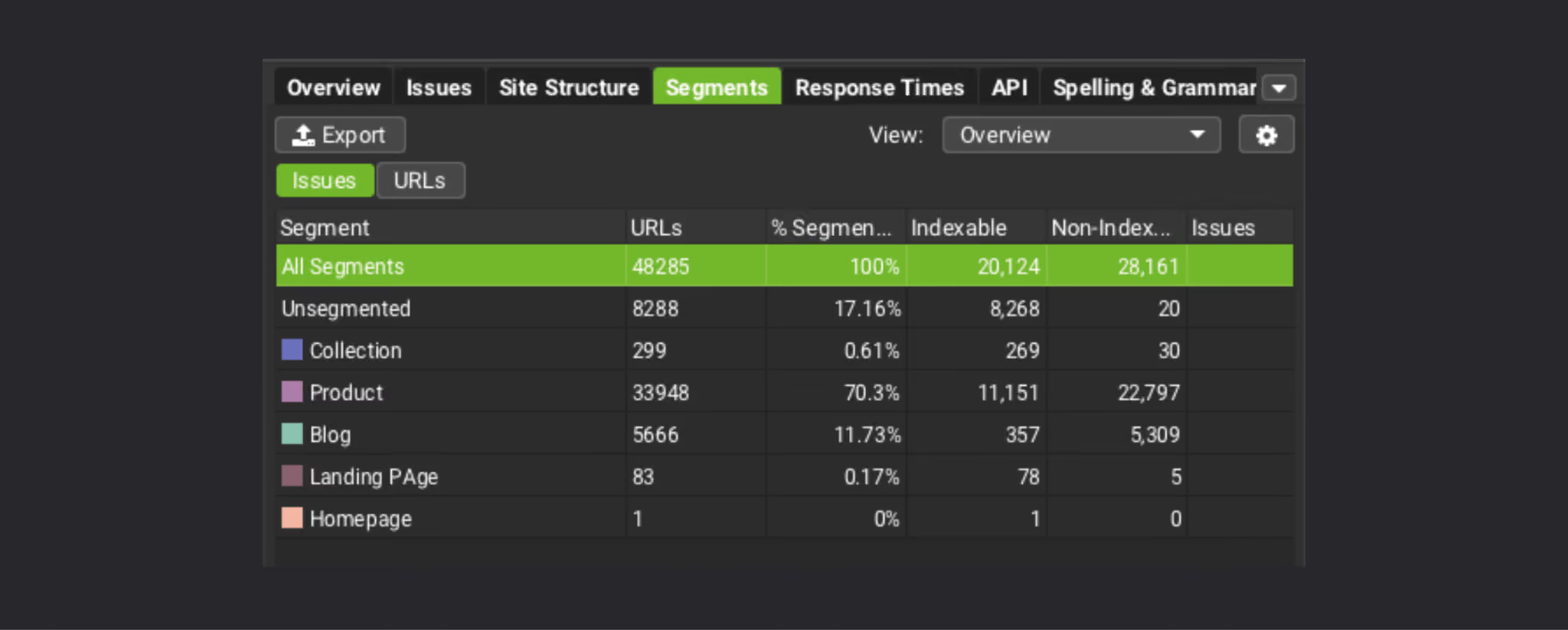
Segmenting Shopify page types makes your crawl far easier to work with.
Instead of looking at one long flat list of URLs, you can separate the crawl into products, collections, pages, blog articles, and other important page types. Segmenting into different types makes it much easier to spot patterns and prioritise issues.
For example, you may want to look specifically at:
- collection pages with thin or missing copy
- product pages with weak descriptions
- blogs that are indexed but poorly linked
- utility pages that do not need to be indexed at all
A segmented crawl turns raw data into something much easier to interpret.
Crawl scope
The next step is deciding what the crawl should include.
Crawl the XML sitemap
Crawling the XML sitemap is one of the best ways to understand what Shopify is surfacing to search engines.
It can also help you find orphaned URLs, pages that still exist in the sitemap but are no longer properly linked within the site, or URLs that have become disconnected from the main architecture.
That matters because a page can still be live and indexable while adding very little value to the user journey or your broader SEO strategy.
Follow redirects
Following redirects lets you see where requests actually end up and helps uncover redirect chains, unnecessary hops, or legacy paths that still need cleaning up. It gives you a more accurate view of the site and can surface issues that affect crawl efficiency and user experience.
Don’t crawl external URLs
If the goal is to audit the Shopify store itself, keep the crawl focused on internal URLs.
Crawling external URLs can add noise, slow the crawl down, and clutter the data with pages that are not relevant to the job at hand. Unless there is a specific reason to include them, it is usually better to leave them out.
Custom extraction
This is where Screaming Frog becomes much more powerful for Shopify SEO.
Custom extraction allows you to pull specific pieces of information from the page at scale, which is particularly useful on stores with large catalogues and repeated page templates.
Collection product count
Being able to extract how many products sit within each collection can be extremely useful.
It gives you more context when reviewing collection pages and helps explain why some pages may be thin, weak, or underperforming. A collection with very few products may need a different SEO approach than one with a much broader product range.
It also helps bring merchandising context into the crawl, which is important on Shopify.
If the collection displays a product count on the page, you can capture this number in the custom extraction. Alternatively, you can configure the custom extraction to count the number of products that appear on the collection page by combining XPath with ‘Function Value’.
As an example, extracting the XPath below, with the ‘Function Value’ setting applied, would count how many products with the CSS class ‘.product-card’ are found on the page.
count(//*[contains(concat(' ', normalize-space(@class), ' '), ' product-card ')])
Extract collection descriptions
Collection pages are often some of the most important SEO landing pages on a Shopify store.
Extracting collection descriptions lets you quickly assess which pages have unique supporting copy, which are underdeveloped, and which may need content improvements. This can be one of the fastest ways to identify missed SEO opportunities across a store’s category structure.
Extract product descriptions
The same logic applies to product pages.
Product descriptions can vary hugely in quality and depth, especially on stores with large product ranges or legacy content. Extracting them allows you to spot patterns such as duplicated content, very short descriptions, or missing commercial detail.
For Shopify stores, this kind of crawl insight is often where technical SEO starts to overlap with content quality.
Custom search
Custom search is one of the simplest ways to surface recurring issues across a Shopify crawl.
Out of stock products
Searching for common out of stock wording can help identify product pages where inventory messaging may need attention.
That can be useful for both SEO and user experience. If important product pages remain live while stock is unavailable, the wording, page structure, and handling of those pages all matter. A custom search makes it much easier to find them at scale.
Primary target keywords
Custom search can also help you find your primary target keywords across the site.
This is particularly useful on collections, product pages, and core landing pages where keyword targeting should be clearer. It can quickly show whether key commercial phrases are present on the pages that are supposed to rank for them, or whether the content is missing important signals.
Structured data
Structured data should be part of any serious Shopify crawl.
It helps you understand what information is being marked up, whether that markup is present consistently, and whether important templates are supporting search engines with the right context.
For Shopify stores, this is especially relevant on product pages, where structured data can help clarify product details and page purpose. Crawling, storing, and validating structured data allows you to spot issues that might otherwise be missed if you only look at visible page content.
The Structured data validation setting isn’t applied by default. So you need to go into the crawl config settings and activate it.
API integrations for Screaming Frog
One of the most useful things about Screaming Frog is that it does not need to operate in isolation.
When you bring external data into the crawl, you turn a technical exercise into something much more commercially useful.
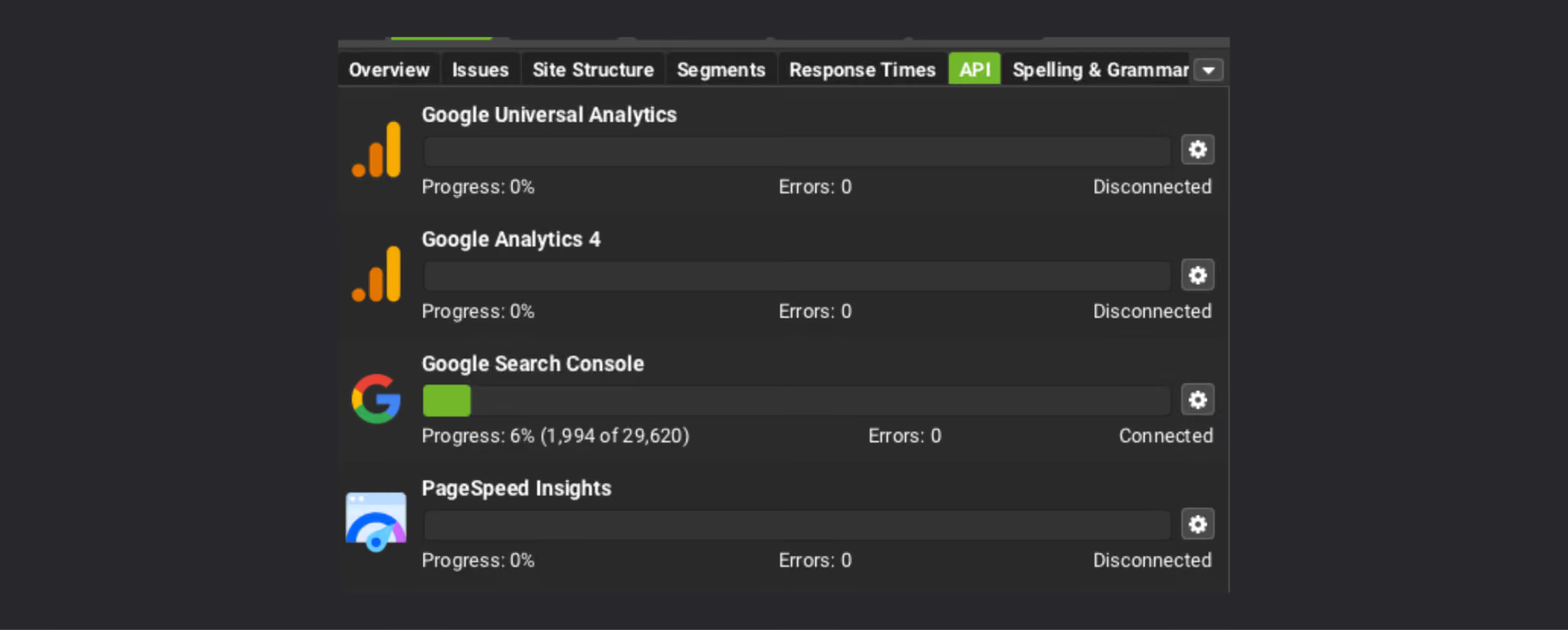
Google Search Console
Connecting Search Console helps you bring in performance data such as clicks, impressions, and queries.
That allows you to prioritise issues with more context. A metadata issue on a page with no visibility may not matter much. The same issue on a page already driving impressions could be far more important.
Search Console data also helps bridge the gap between what the crawl reveals and how the page is actually performing in search.
GA4
Page views, revenue, transactions, engagement rate, conversion rate, and average time on page can all help turn crawl data into something more meaningful. Instead of looking only at what is technically wrong, you can start to focus on which issues are affecting pages that matter commercially.
That makes it easier to prioritise what to fix first.
Lighthouse
Lighthouse data can be useful when you want more visibility into performance and page quality.
It adds another perspective to the crawl and can help support broader technical analysis, especially when speed, rendering, or page experience are part of the review.
Ahrefs
If you use Ahrefs, integrating that data can help layer in backlink and authority insight.
This is not essential for every crawl, but it can be useful when you want to understand page importance or add more SEO context to the audit.
Advanced options for crawling Shopify with Screaming Frog
Once the core crawl is set up, there are several ways to push the audit further.
Generate embeddings
Generating embeddings can help with more advanced content analysis, especially on larger Shopify stores.
This can be useful when you want to explore similarity between pages, identify thematic overlap, or look more deeply at content relationships across collections, products, or articles.
It will not be necessary for every crawl, but it can be a helpful addition when deeper analysis is needed.
Reporting and ongoing management
The biggest value from Screaming Frog often comes after the first crawl.
Save a crawl config
If you regularly crawl the same Shopify store, save the configuration.
That keeps the process consistent, reduces setup time in future, and ensures you are comparing like for like when reviewing changes over time.
Set up scheduled crawls
Scheduled crawls are one of the easiest ways to make technical SEO more proactive.
Instead of waiting for problems to build up, you can run regular crawls and keep a closer eye on how the site changes. This is especially useful for stores with frequent product launches, merchandising updates, or ongoing SEO work.
This is even more important with AI agents and services opening up opportunities
Compare crawls
Comparing crawls over time helps you see whether the site is improving or drifting.
It becomes much easier to track structural changes, monitor the impact of fixes, and spot issues that have been introduced along the way. For ongoing Shopify SEO, this can be one of the most valuable features in the tool.
Looker Studio Screaming Frog Integration
If you want crawl data to be more accessible internally, feeding it into Looker Studio can help.
Feeding Screaming Frog data into Looker Studio makes it easier to combine technical crawl insight with performance reporting and share a clearer view of what is happening across the store.
You can make a copy of the default Screaming Frog Looker Studio template here.
Sample in list mode with JavaScript rendering enabled
In some cases, it can also be useful to sample pages in list mode with JavaScript rendering enabled.
That can help when you want to check rendered HTML or validate how specific pages behave once scripts have fully loaded. It is not something that needs to be used on every crawl, but it can be valuable when you need a more detailed view of specific templates or elements.
We don’t recommend setting up JavaScript rendering for the entire crawl (this would take a lot of time and memory). Instead, build a list of URLs including your homepage, and a selection of collections, products and blogs. Crawl these URLs in Screaming Frog list mode with JavaScript rendering enabled.
Why use Screaming Frog for Shopify SEO
Screaming Frog is one of the most valuable tools for Shopify SEO, and Shopify’s Web Bot Auth has made it far easier to run reliable crawls and repeatable audits.
Having strong SEO and data foundations is even more important as AI plays a bigger role in how products are discovered, compared, and recommended, which is why agentic commerce for Shopify brands should already be on the radar.

.png)